
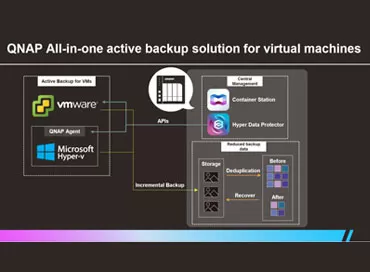
Storage and backup of virtual machines on QNAP NAS
... seconds, and is native to virtualization. Since it is completely controlled ... changed data, drastically shortening the backup time frame (see our ... , and QNAP Hyper Data Backup simply communicates with this platform ... test hypervisors to check the backup performance, and we recommend ... the same, and if you back up ESXi and Microsoft virtual machines ... and Conclusions
When choosing a backup solution, IT professionals usually ask ... QNAP developers have created various backup solutions over the years. Today ...
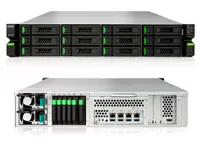
QSAN XN8012R Storage Review: Virtualization + ZFS Onboard!
... SSD caching support, built-in virtualization, backup to the cloud, and all ... configure the NAS.
Software and virtualization
To put it mildly, ... is no storage management and virtualization from a single window, ... the presence of built-in virtualization makes it pointless to integrate ... or backup to the cloud. If you want to back up the contents ... software functionality such as Tiering, virtualization and snapshots does not require ... top-end QSAN XN8012R with virtualization and deduplication is comparable to ...

5 performance indicators of corporate backup
... .
Finding out if your backup and recovery systems are working ... , as some services offer virtually unlimited storage capacity for archived ... the processing capabilities of the backup servers or the underlying ... level of software responsible for backup. In general, deduplication can ... reviewed in detail
Synology Active Backup for Business
. Here, resource ... deduplication are performed only for backup files and are recalculated ... customers using these systems typically back up all day, and once an ...
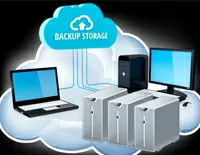
Big test Synology Active Backup for business - recovering from backup in 11 seconds!
... RS4017xs +, because if you use virtualization, then you can easily figure ... server, disk spaces and nested virtualization
Copying Windows hosts will require ... backup to NAS, and if the guest systems are Linux, then back up ... Let's test this nested virtualization by backing up a physical ... was unable to get nested virtualization to work under Synology VMM ... you can distribute access and virtualize the Synology DSM itself, then ... hardware is completely restored.
But virtualization requires large amounts of RAM ...

Synology VMM Pro - testing failover virtualization cluster
Synology is expanding the capabilities of its hypervisor and in the Pro version it is possible to create a failover cluster. We tested non-stop migration, crash recovery and also showed how BTRFS can save disk space when using a dozen virtual machines. Traditionally for Synology, every step here is intuitive and logical.
Today any small company has its own IT resources, which grow along with the growth and development of the company. One or two services can still be kept on a dedicated ...
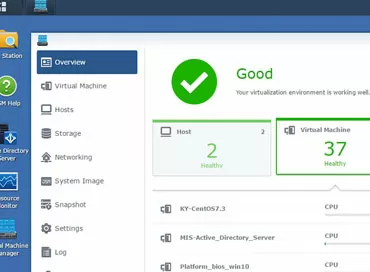
Synology Virtual Machine Manager hypervisor - first step into converged architectures
Synology has released a package that turns storage into a host for virtual machines with easy cluster setup, virtual machine snapshot support, and setup in just a few clicks. You can even run the DSM operating system itself in a virtual environment to create multitenant services within your organization.
Synology
, already a well-known system manufacturer to our readers data storage class SmB/SOHO, has been making steps towards the Enterprise segment for quite some time. In 2017, high- ...

Modern methods of data backup of servers and workstations
In the infrastructure of any modern enterprise, a special place should be given to data storage and backup systems. In case of failure, human error or for maintaining archives, but the data must be reliably protected from loss, prying eyes or natural disaster. In this article, we will explain what hardware is used to copy data in different cases.
The active development of information technologies, which began at the very beginning of the 21st century and does not plan to stop in the coming ...

Freebies will not be! VMware waives the license for the socket
It happened! Now, for every 32 physical cores in the server, you will need a license for 1 processor socket. Bad news for AMD, but don't jump to conclusions - there's still time to buy EPYC.
I hope you had time to enjoy how your new 1-socket server on AMD EPYC smartly replaces 2 or even 4 old servers on Xeon E5, and at the same time you deduct a mere penny for the hypervisor license? The freebie is over: now VMware changes the license policy, considering that there are no more than 32 cores ...