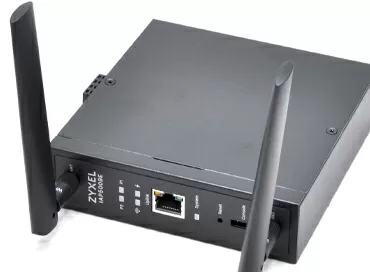
We’re taking a closer look at the licensing mechanisms of Zyxel Nebula.
Why Nebula uses a multi-level license system
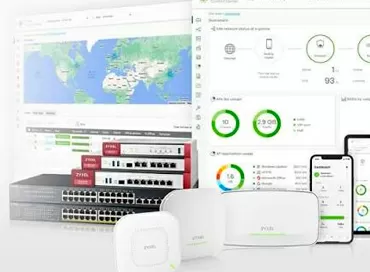
Nebula Control Center is a Zyxel cloud platform for managing network infrastructure, combining access points, switches, and firewalls under a single panel, regardless of where the offices or facilities are physically located. The administrator configures and monitors devices via a web interface or a mobile app, and the management logic itself - from applying settings to collecting statistics - is executed in the Zyxel cloud, not on a local controller. At the same time, only service data is transmitted between the managed network and the cloud; no useful traffic or organizational data is sent to the cloud. This can be easily monitored by any reasonably competent system administrator - it’s clear that the channel to Nebula is very small, with only a few bytes of data being transmitted.
This approach relieves the engineer of the need to manage a separate management server and allows the network to be deployed from scratch via zero‑touch provisioning: the device simply connects to the internet and automatically pulls the configuration from the cloud organization.
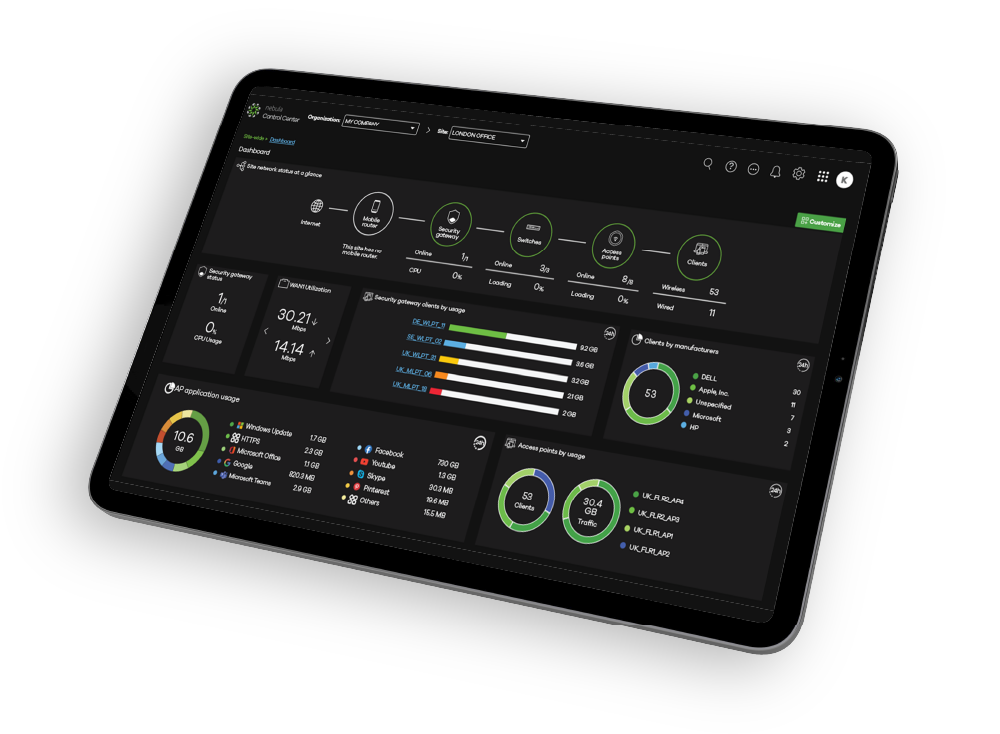
The key feature of Nebula is that the platform’s basic shell is free, while more advanced capabilities are unlocked through a system of licensing packages - Base, Plus, and Pro - which are applied to an organization’s devices, plus a separate MSP Pack that can be used on top of any of them for those who manage the networks of several clients at once. Such a multi-stage model is not a marketing ploy, but a logical response to a variety of usage scenarios: a small office with a couple of access points and one switch hardly needs VPN orchestration between branches or annual log storage, whereas a growing company with multiple sites requires a much more sophisticated configuration backup, monitoring, and automation system. Instead of forcing everyone to pay for the maximum functionality at once, Zyxel makes it possible to start with a free tier and increase the capabilities as the infrastructure itself becomes more complex.
This is where the main difficulty lies when choosing a license: the difference between Base, Plus, and Pro is not always obvious at first glance, and the descriptions of the packages in the official materials are scattered across dozens of points and tables. In this review, we will systematically examine what each licensing level offers - from the free Base Pack to the higher‑tier Pro Pack - and we will also take a closer look at the MSP Pack so that it becomes clear what use case it is designed for and why it is not an alternative to the regular packages, but an add‑on to them.
Base Pack: free tier
Base Pack is not a stripped‑down demo version, but a full‑fledged starter configuration of Nebula, available free of charge for any registered device. At this level, the entire basic network management cycle is already in operation: the administrator receives a website‑centric dashboard with a map of facilities and floor plans, configures and monitors devices from a single interface, and deploys new equipment via zero‑touch provisioning - that is, the switch or access point automatically pulls the configuration from the cloud immediately after connecting to the network, without manual configuration on‑site. This also includes live diagnostics tools and remote access via SSH or through the built‑in configurator, which covers the lion’s share of a network administrator’s everyday tasks without the need to be physically present near the device.
Among the functionality that many will find unexpectedly advanced for a free plan, it’s worth highlighting rule planning - you can set a schedule for the operation of specific SSIDs, enable PoE ports on the switch, or activate certain firewall rules, as well as organize client authentication by MAC address, enable the 802.1X protocol or the captive portal - that very authorization page that appears when connecting to guest Wi‑Fi in a café or hotel. In other words, for a network with a single location and a reasonable number of devices, the Base Pack covers the vast majority of use cases without requiring any additional licensing costs.
Limitations begin where the scale and depth of retrospective analysis come into play. Event logs, statistics, and reports are stored for only 24 hours - this is enough for a prompt response, but not enough to investigate an incident that occurred a week ago or to analyze load trends. A free-tier organization can be administered by no more than five user accounts, and the built-in cloud authentication server, Nebula Cloud Authentication Server, is limited to fifty user accounts per organization - this may not be sufficient for a network with dozens of employees using individual WPA-Enterprise authentication. You can also attach only one photo to a device on its card page, which is a minor detail but inconvenient when managing a warehouse with fifty access points.
It’s also worth mentioning the Cloud Saving Mode - a kind of energy‑saving mode for the platform itself: if an organization on the free plan is inactive for 30 days, Nebula puts it into a limited state, in which statistics stop being collected until work resumes. Plus and Pro packages are exempt from this mode, but the Base Pack is not - and this is something to keep in mind if the network is deployed once and then left unattended by an administrator for a long time. A similar logic works in the opposite direction: if an organization had a paid package, but the license expired, the devices do not turn off instantly, but roll back to the Base capabilities after 15 days, so understanding the basic level is useful even for those who initially plan to buy Plus or Pro.
Plus Pack: an intermediate step
If Base Pack covers the basic needs of a single small site, then Plus Pack is the first step towards more serious network operation, when the number of devices and users grows, and the requirements for transparency and ease of management increase along with them. In spirit, this is not a revolution in functionality, but rather a careful expansion of Base Pack’s capabilities in two directions at once: quantitative and qualitative.
From a quantitative perspective, Plus removes some of the restrictive limitations that were discussed in relation to the free tariff. The retention period for logs, statistics, and reports is increased from one day to a week, which already makes it possible to analyze incidents not only “while they’re fresh,” but also with a slight delay - for example, on Monday to check what happened on the network over the weekend. The number of administrators in the organization increases from five to eight, and the limit on records in the NCAS cloud authentication server doubles - from fifty to a hundred, which removes some of the restrictions when deploying corporate 802.1X authentication for employees.
However, what’s even more important are the quality additions. First, an organization on the Plus Pack is exempt from the Cloud Saving Mode - that very limited state of the platform into which an inactive free organization falls after a certain period of inactivity. For a network that is deployed once and then runs for months without active administrator supervision (a typical case for a remote facility or seasonal business), this is no longer a cosmetic advantage, but a quite tangible one. Secondly, advanced reporting is available: summaries can be viewed not just in the interface, but also exported to CSV or XML, sent via email on a scheduled basis, and formatted with the company’s corporate logo - this is convenient if network status reports are regularly sent to the client or management. Thirdly, firmware update management becomes much more flexible - instead of manually updating each device, the administrator can set an update schedule individually for each device or launch an update across the entire organization at once.
The site-wide network topology deserves special mention - an automatically built graphical connection map that allows you to visually track the status of connections on a specific site. Recently, this feature was made free in the basic version, although interactive device management directly from this card (rebooting, renaming, changing IP and other actions "on the fly") remains the prerogative of the Pro Pack.
Among the innovations specific to the wireless part, WiFi vouchers appear in Plus, a mechanism in which a guest is given a unique code for temporary access to the network through the captive portal, which is especially convenient for hotels, cafes and any places where it is necessary to limit the duration of guest connection without creating permanent accounts. On the switch side, vendor-specific VLAN segmentation is added, which automatically distributes devices from different manufacturers across different VLANs based on their MAC address, and the Auto PD Recovery function, which monitors hung PoE devices - for example, IP cameras - and automatically restarts their power supply without waiting for a person to notice.
Basically, the Plus Pack makes sense where the infrastructure has already gone beyond one small office, but a full-fledged multi-site orchestration from the Pro Pack is still redundant: for example, for a network of several similar outlets or branches where stability, acceptable depth of logs and point-to-point amenities such as guest vouchers and automatic recovery of surveillance cameras are important.
Pro Pack: maximum platform capabilities
Pro Pack is the highest tier of Nebula licensing, and while Plus Pack can be considered a reasonable compromise for a growing but still not overly extensive infrastructure, Pro Pack is designed for networks where the number of sites already reaches dozens, and the administrator needs full control and in‑depth analytics for each class of devices - access points, switches, firewalls, and mobile routers. Here, virtually all quantitative restrictions are lifted: logs, statistics, and reports are stored for a year, the number of organization administrators becomes unlimited, the limit on entries in the NCAS cloud authentication server is also completely removed, and you can upload five photos to a device card instead of one.
Access Points: Diagnostics and Security
The main value of Pro Pack for wireless infrastructure lies in diagnostics and advanced authentication. Wireless Health is a tool for continuous monitoring of wireless connection quality that analyzes metrics, displays the history and trends of the network’s real‑time status, and is capable of automatically applying corrective actions when connection issues are detected. It is complemented by WiFi Aid - a tool that tracks the entire path of a client when connecting to a network, from authentication to obtaining an IP address via DHCP and resolving DNS requests, and highlights at which specific stage the failure occurs, instead of forcing the administrator to manually sift through logs. Roaming Dashboard goes even further and provides a centralized view of how clients switch between access points on the site: it shows the percentage of successful switches, their number, changes in signal level, and the time taken for the transition; for each problematic client, it provides a detailed roaming route with built‑in recommendations for resolving the issue.
Among the functionality focused on large-scale deployments, it is worth highlighting programmable SSIDs - the ability to set a unique network name and password for each access point on a single settings page, which is critical for hotels or student dormitories, where each room or unit needs its own isolated network. Next to this is Dynamic Personal PSK, a mechanism in which each device or user is given its own unique password for Wi-Fi instead of a single shared key, which significantly increases security in hotel and conference scenarios where access has to be massively granted to many unauthorized devices. The Pro Pack also adds a number of authentication options via the captive portal: logging in using a MAC address with a switch to RADIUS authentication, password-free login (passkey) support via its own cloud-based Nebula authentication server, as well as federal login via Microsoft Entra ID or through the Nebula Identity Federation Service, a service that allows you to connect multiple external devices at once. access identification providers (Google Workspace, Okta, and others) to the same entry point and assign different access rights depending on which provider the user logged in through.
Switches: port-level monitoring
On the switch side, Pro Pack takes diagnostics to a new level thanks to Port Advisor - a tool that displays a real-time summary and timeline of anomalies on ports, categorizes problems (for example, excessive broadcast load or a loop in the topology), and allows you to take corrective action directly from the interface - adjust storm control limits or temporarily disable the problematic port, followed by a restart when ready. Among the more specialized functions, you can stack switches into a single logical unit to simplify administration of a large network farm, support IP interfaces and static routing at the third level, protect against rogue DHCP servers using IP Source Guard, and automatically detect IP cameras via the ONVIF protocol while monitoring their power status in real time. IPTV Report deserves special attention - it is a report that shows statistics on TV channel viewing via the network and, using machine learning, identifies traffic anomalies that can affect the quality of the broadcast - a feature clearly aimed at the hotel and hosting segment, where IPTV is part of the commercial offer for guests.
Firewalls: VPN channel orchestration and security configuration
For the firewall part, the flagship feature of Pro Pack is VPN Orchestrator, a software‑defined tool that allows you to deploy a multi‑site VPN topology within an organization in just a few clicks, and it supports both devices running Nebula and third‑party VPN gateways. The interface provides a map of VPN connections with geographical mapping and real‑time traffic usage history, and advanced scenarios - for example, direct communication between branches, bypassing the central node - are configured via the VPN Area and Branch‑to‑Branch VPN concepts. Actually, even in the basic version, setting up a VPN already turns from a pain into a simple mouse click, but you’ll have to open the settings of each gateway.
The picture is completed by support for threat containment through the Collaborative Detection & Response policy, with filters for malware, intrusions, and web threats (provided the firewall itself has the appropriate license), archiving of traffic logs via SecuReporter, and automatic distribution of a provisioning script for configuring L2TP VPN on client devices via email - a small detail that significantly simplifies life when deploying VPN clients en masse for remote employees.
Mobile routers and general NCC tools
For mobile routers, Pro Pack adds continuous monitoring of the availability of critical LAN devices - essentially, the “pulse” of connected equipment, which is tracked even in mobile operator networks, as well as full backup, download, and configuration restoration.
Finally, at the level of the NCC platform itself, the senior package opens up tools that are especially valuable when managing multiple sites of the same organization at once: a web-based topology with full-fledged interactive device management directly from the network map (rebooting, renaming, changing IP addresses), synchronization and replication of settings between sites, configuration templates that automatically apply changes to the master template for all sites linked to it (with the possibility of local redefinitions), centralized backup and scheduled configuration recovery, an organization's changelog indicating who changed what and when, restriction of administrators' entry by IP address ranges, priority support via chat and tickets directly from NCC, as well as access to OpenAPI for integrating Nebula with third-party systems. It is this set of tools that makes Pro Pack a logical choice for organizations that manage a distributed network of multiple offices or facilities and are not ready to manually synchronize settings between them.
MSP Pack: an add‑on for service providers
Unlike Base, Plus and Pro, which are licensed per device and define the functionality of a specific organization, MSP Pack is fundamentally different: it is activated on the administrator’s account and is applied on top of the client packages, rather than replacing them. That is, if your company administers its own network - even if it spans several offices and includes Pro Pack - then you don’t need this package: it solves a completely different problem and is designed for companies that provide network maintenance services to several independent customers at once, i.e., for classic remote administrators and system integrators.
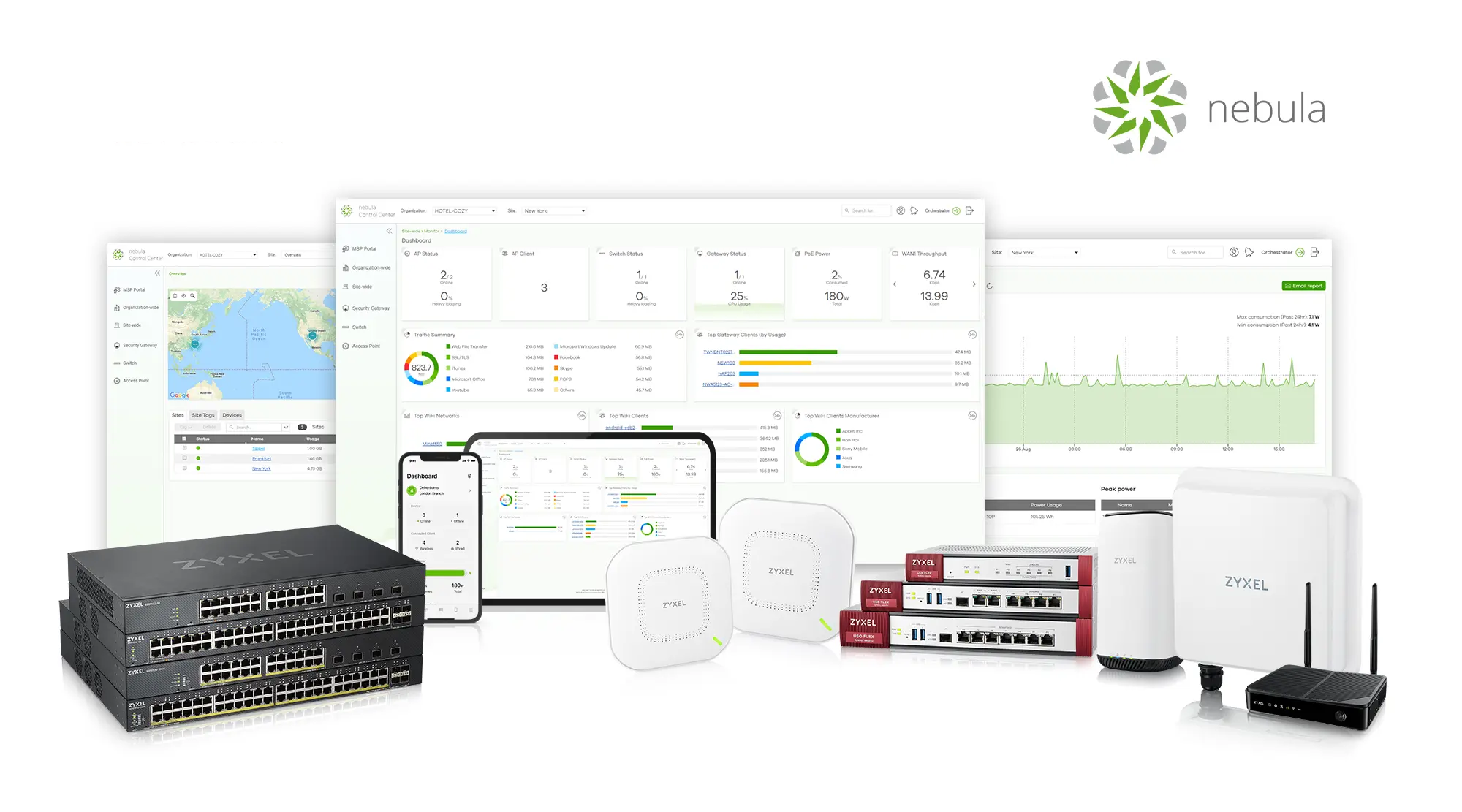
The point of MSP Pack is to relieve such an administrator of the need to log in sequentially to dozens of separate customer organizations. Instead, they get a single MSP portal: The central entry point, from which you can immediately see a summary of all the organizations being served - the number of sites and devices, their status, type, and license validity period - as well as a comprehensive overview of websites and individual devices, regardless of which client they belong to. A separate inventory block shows the distribution of licenses by level (how many clients are on Base, how many on Plus or Pro) and tracks organizations and devices whose licenses have entered the grace period before expiration.
What really saves an MSP engineer's working time is the ability to create administrators of an MSP company with delimited roles, group them into teams, and client organizations into groups based on some common criteria; copy settings or entire sites from one client organization to another, so as not to set up a standard configuration from scratch for each new customer; and maintain cross-organizational configuration templates, where a change in the master template is automatically pulled up to the linked sites of several different clients at once. Plus, centralized backup and recovery of configurations, scheduling firmware updates for all serviced organizations at once, alert templates that are applied in bulk to selected organizations and sites, a single changelog for all MSP functions and client Pro organizations, as well as the ability to brand a client's personal account with their company's logo and contacts is subtle but enjoyable. a detail for those who sell services under their own name.
To summarize: MSP Pack is about saving time on a scale of “one administrator - dozens of other people’s networks,” rather than about additional functionality within a single network. For a reader who administers their own company’s infrastructure, the key takeaway is simple: you need to grow in terms of functionality starting with Base, moving on to Plus, and then to Pro; as for MSP Pack, it’s enough to know that it exists in case you ever become the one who maintains other people’s networks.
Final comparison and recommendations
After analyzing each package individually, it is worth putting the key differences into a single table - not so much to retell all the details, but to give a quick guide when choosing a license.
|
Parameter |
Base Pack |
Plus Pack |
Pro Pack |
|
Price |
Free |
Paid |
Paid |
|
Log, statistics, and report retention |
1 day |
7 days |
1 year |
|
Maximum number of organization administrators |
5 |
8 |
Unlimited |
|
NCAS record limit |
50 |
100 |
Unlimited |
|
Photos on the device card |
1 |
1 |
5 |
|
Cloud Saving Mode during idle periods |
Active |
Not active |
Not active |
|
Site-wide network topology |
View |
View |
View + interactive management |
|
Advanced reporting (export, email, branding) |
No |
Yes |
Yes |
|
Guest WiFi vouchers |
No |
Yes |
Yes |
|
Programmable SSIDs, Dynamic PSK, advanced Wi-Fi security |
No |
No |
Yes |
|
Wireless Health, WiFi Aid, Roaming Dashboard |
No |
No |
Yes |
|
Switch stacking, L3 IP routing, Port Advisor |
No |
Partially (vendor VLAN, Auto PD Recovery) |
Yes, full feature set |
|
Site-to-site VPN orchestration |
No |
No |
Yes |
|
Cross-site synchronization, templates, configuration backups |
No |
No |
Yes |
|
Priority support and OpenAPI access |
No |
No |
Yes |
If we translate this table into practical recommendations, the logic turns out to be quite straightforward. Base Pack is a reasonable entry point for a small office with a single platform and a moderate number of devices, where there is no urgent need for in‑depth retrospective analytics and multi‑day log storage; for such a scenario, the free tier covers almost the entire set of an administrator’s daily tasks. Switching to the Plus Pack is justified when the network expands beyond a single site or starts operating without constant supervision - for example, when it is deployed at a remote location and remains idle for long periods without active administration - and also when slightly more flexible reporting and guest access via vouchers are required, but full‑fledged multi‑site orchestration is not yet needed. Pro Pack should be considered when an organization manages a truly distributed infrastructure consisting of several offices or facilities, needs uniform configurations across sites, advanced wireless network diagnostics, and VPN connectivity between branches, and when the cost of downtime or an incident is so high that it justifies annual log storage and priority support.
It is worth emphasizing separately: MSP Pack is not part of this hierarchy and does not replace any of the three packages - it is an add‑on for those who administer the networks of several third‑party organizations at once, and it is not needed for the own infrastructure of a single company, regardless of which of the main packages is used.
Ultimately, the choice of a Nebula license comes down not to the question of "which is more powerful," but to an honest assessment of the scale and complexity of your own infrastructure: pay for the capabilities that will actually be used, rather than for the maximum set of features "just in case" - and, conversely, don’t run into the limitations of the free plan where the network has already outgrown its scope.
Mikhail Degtyarev (aka LIKE OFF)
22/09.2026