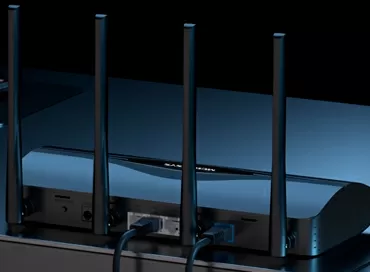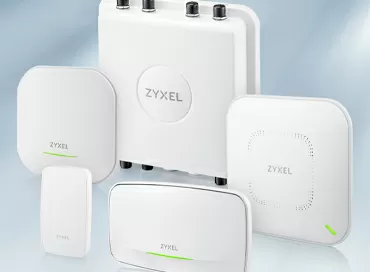
The model range of Zyxel Wi-Fi 7 access points
The right access point today is chosen not by the maximum "speed on the box", but by a set of quite mundane parameters: how many bands are actually used, is there 6GHz, how many spatial streams does the radio frequency give, which uplink is on the wired side, is PoE supported, is there a second Ethernet port, can the device works as a bridge, whether it supports mesh, how exactly it can be controlled and in which case it is made. This is especially important for Zyxel, because the Wi‑Fi7 portfolio is already wide: from a desktop point with one 2.5GbE port to models with 10GbE, SFP+, external antennas, IP67 protection and several control modes - from the cloud to a hardware controller.
Why it's already worth switching to Wi‑Fi 7
The main point of Wi‑Fi 7 is not that the number in the standard has increased, but that the wireless network has ceased to be a separate convenience and has become the basis of work and client services. For small businesses, these are not only laptops and smartphones, but also cash registers, payment terminals, telephony, televisions in hotel rooms, video surveillance systems, mobile workstations, guest SSIDs and service traffic. In such an environment, any delay, overloaded broadcast, or narrow uplink very quickly turns into an operational problem, rather than a topic for beautiful graphics at a presentation.
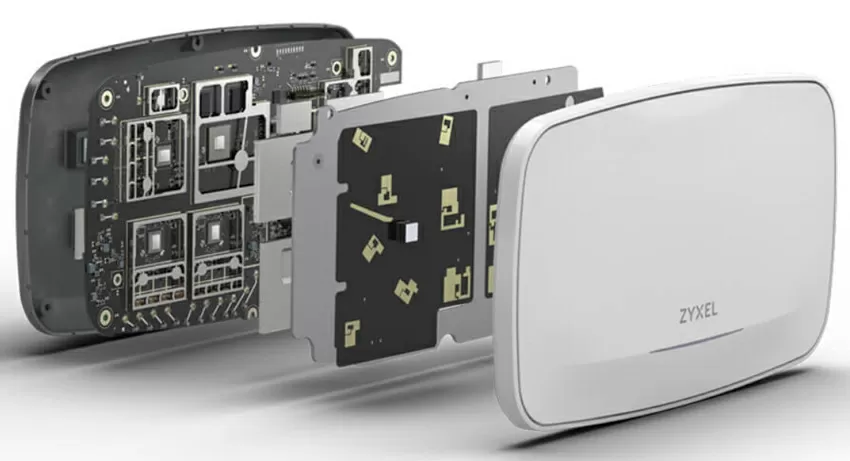
In Wi‑Fi 7, Zyxel relies on several things at once. Firstly, it is MLO (Multiple Link Operation), which allows compatible clients to use multiple ranges and improves the stability of the connection under load. Secondly, it is the 6 GHz band in higher-end models, which provides additional airplay and reduces competition for radio resources where 5GHz is already overloaded. It is disabled in many countries, but you can always select Greece in the Wi-Fi settings and enjoy a full 6 GHz radio band. Thirdly, this is a normal wired foundation: 2.5GbE ports appear in the younger models, and 10GbE ports in both copper and optics in the older ones, so the network stops hitting the gigabit ceiling long before Wi—Fi 7 starts working at full capacity.
That is why the transition to Wi‑Fi 7 now looks especially logical where infrastructure is bought not "for a couple of years", but for a normal lifecycle. If an object currently lives on Wi‑Fi 5/6, but already uses 2.5GbE switches, cloud management, and dense guest or corporate traffic, the new access points provide not only a margin of speed, but also a more coherent network architecture for the future. In other words, the question is no longer about fashion, but about how quickly the old wireless part will start interfering with normal operation.
Zyxel Wi‑Fi 7 model line
In the Zyxel portfolio, the junior segment consists of devices for small businesses and compact platforms, where the entry price, 2.5GbE uplink and cloud management are important. The middle segment includes office and mixed scenarios with a higher customer density, as well as models with three bands and a more serious radio frequency. The upper one provides solutions for large sites, difficult conditions, 10GbE, external installation, industrial operation and a large number of customers per point.
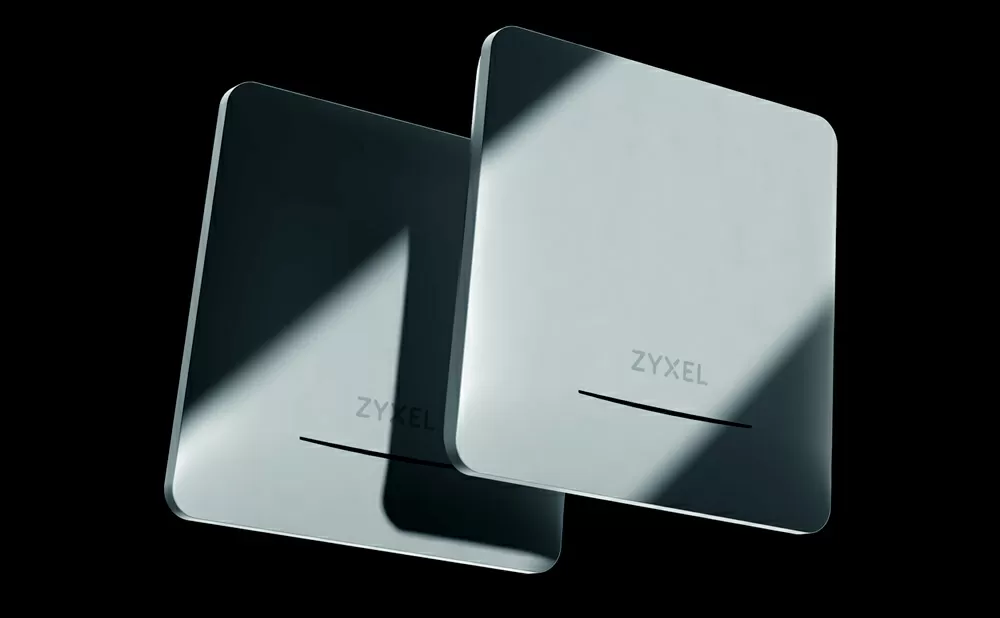
From an engineering point of view, the division goes along several axes:
- The first is the number of bands: lower-end models are usually dual-band, while the middle and upper segments offer full support for 6GHz.
- The second is the number of streams: 2x2 in the lower-end class is sufficient for small installations, while 4x4 in 5 and 6GHz in the higher-end models provides a different level of capacity.
- The third is the wired part: one 2.5GbE port is one thing, two 2.5GbE ports are another, and 10GbE or 10GbE/SFP+ take the device to a completely different design class.
Lower segment: compact points for small businesses and small facilities
The lower group of Zyxel Wi‑Fi 7 is designed for scenarios where you need a modern standard, but without excessive infrastructure weight. These include small offices, salon businesses, individual stores, small hotels, coffee shops, and restaurants, where one or two points can already cover a significant portion of the task. In this case, most access points have two radio modules that support four spatial streams. However, even in the lower class, Zyxel has important differences, and it is worth considering them first.
What is important in the junior segment
|
The model |
Class and ranges |
Streams |
Ports |
Power |
Mesh / bridge |
Management |
Captive Portal and 802.1x |
Comment |
|
NWA30BE |
BE5100, 2.4 + 5GHz |
4 streams |
1 × 2.5GbE |
DC only |
Smart Mesh with MLO / bridge |
Cloud / standalone |
No |
Desktop form factor, option for a very compact site |
|
NWA50BE |
BE5100, 2.4 + 5 GHz |
4 streams |
1 × 2.5GbE |
DC or PoE 802.3at |
Smart Mesh with MLO / bridge |
Cloud / standalone |
No |
Classic "single-port" AP: the cable comes in and ends there |
|
NWA50BE PRO |
BE6500, 2.4 + 5/6 ГГц |
4 потока |
1 × 2.5GbE |
DC или PoE 802.3at |
Smart Mesh с MLO / мост |
Облако / standalone |
Нет |
6 ГГц уже здесь, но второго порта для каскада по меди нет |
|
NWA90BE |
BE5100, 2.4 + 5 ГГц |
4 потока |
1 × 2.5GbE |
DC или PoE 802.3at |
Smart Mesh with MLO / bridge |
Cloud / standalone |
Yes |
A good candidate for small hotels and guest networks |
|
NWA90BE PRO |
BE6500, 2.4 + 5/6 GHz |
4 streams |
1 × 2.5GbE |
DC or PoE 802.3at |
Smart Mesh with MLO / bridge |
Cloud / standalone |
Yes |
More "long-range" by standard, but still single-port |
A key technical observation: almost all lower-end models rely on a single network port, which immediately affects the topology. If a point receives power and data via a cable, and you need to extend the network to another device in the same location, the lower-end class won't help because there's no second port available. This isn't a negative aspect per se, but it's a specific scenario: it's fine for small facilities, but it may not be convenient for corridor wiring or sequential routes.
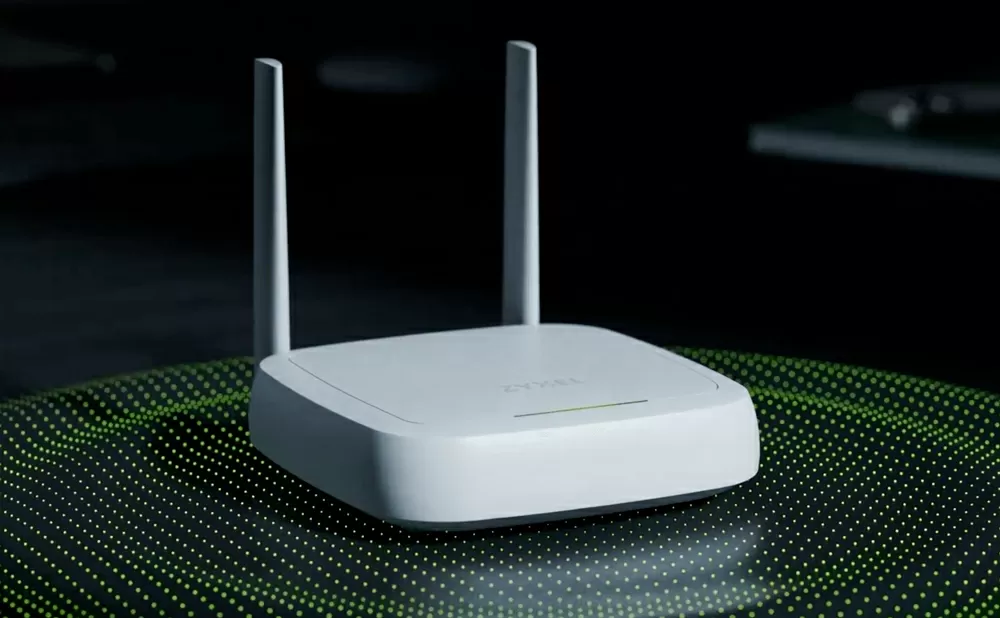
NWA30BE stands out for its form factor: the BE5100 desktop point with 2x2 MU-MIMO and Smart Mesh, designed for compact spaces where a wireless network is needed quickly and efficiently, without the need for a "zoo" of hardware. You can read the review of the NWA50BE on our website. The other models, NWA50BE PRO and NWA90BE PRO, are interesting because they already cover the 6-gigahertz band and can be a good choice for small but demanding installations where you can ignore the radio frequency requirements. This is a case where Wi-Fi 7 is not bought for the sake of records, but to ensure that a small network does not become obsolete before it pays for itself.
Middle segment: when the network is already being designed rather than simply installed
The Zyxel mid-range segment is where the differences between models become truly significant. While in the lower-end segment, the choice often lies between "good enough" and "slightly better," the design logic begins here: how many clients are on the point, how many bands are needed, will there be active user movement, do you need a bridge, what uplink is being used, and is there a need for a second Ethernet port.
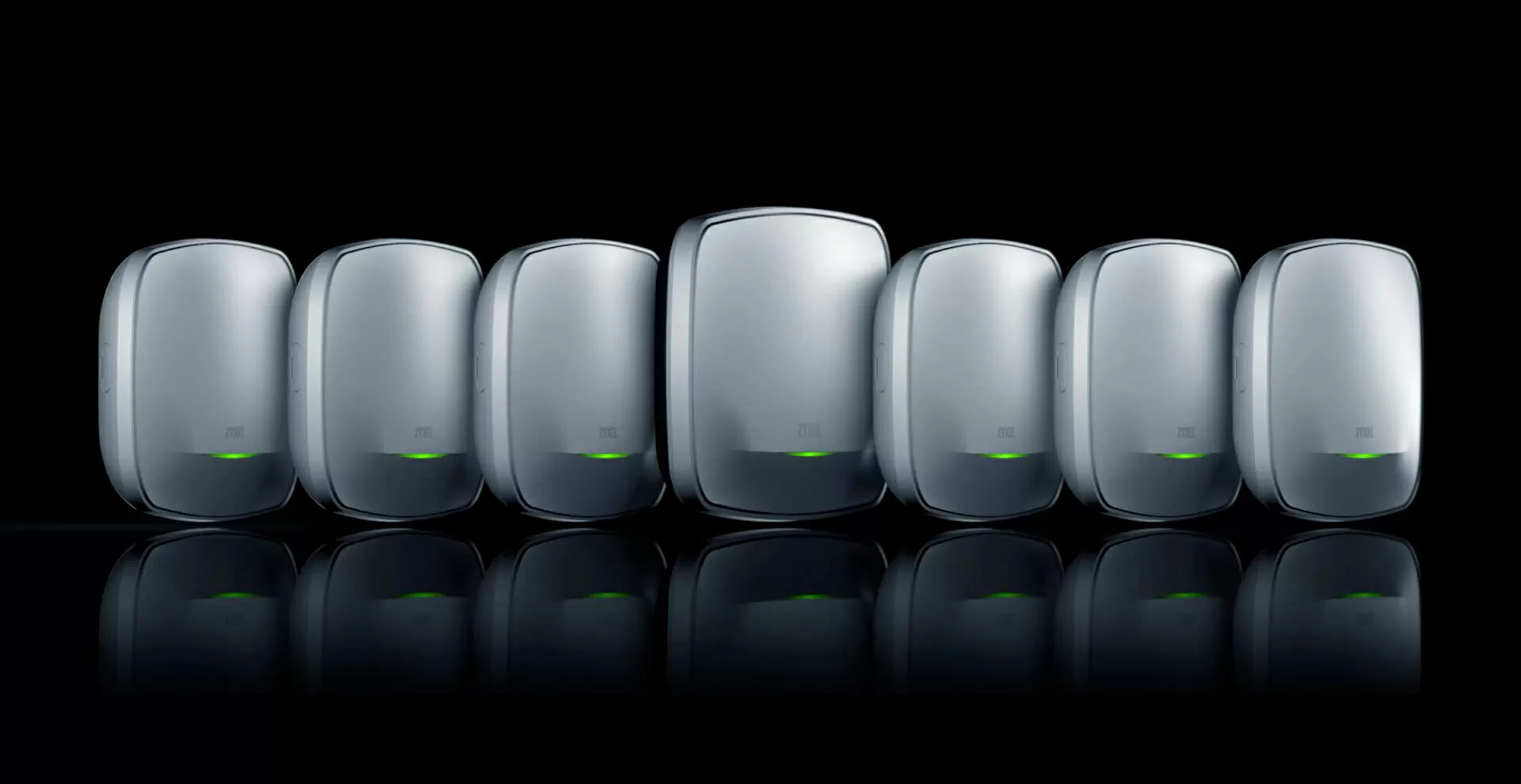
Technical differences in the middle segment
|
The model |
Class and ranges |
Streams |
Ports |
Power |
Mesh / bridge |
Mgmt |
Captive Portal and 802.1x |
Comment |
|
NWA55BE |
BE5100, 2.4 + 5GHz |
4 streams |
1 × 2.5GbE |
PoE only |
Smart Mesh with MLO / bridge |
Cloud / stand alone |
Yes |
IP55 housing, two external antennas |
|
NWA110BE |
BE6500, 2.4 + 5/6GHz |
4 streams |
1 × 2.5GbE |
DC or PoE 802.3at |
Smart Mesh with MLO / bridge |
Cloud / stand alone |
Yes |
Basic office ceiling structure |
|
NWA130BE |
BE11000, 2.4 + 5 + 6 GHz |
6 streams |
2 × 2.5GbE |
DC or PoE 802.3at |
Smart Mesh with MLO / bridge |
Cloud / stand alone |
Yes |
For modern offices and dense mixed load |
|
NWA210BE |
BE12300, 2.4 + 5/6GHz |
6 streams |
2 × 2.5GbE |
DC or PoE 802.3at |
Smart Mesh with MLO / bridge |
Cloud / stand alone |
Yes |
A strong candidate for an office of 50-100+ employees |
|
NWA240BE |
BE15000, 2.4 + 5 + 6 GHz |
8 streams |
1 × 10GbE |
DC or PoE 802.3at |
Smart Mesh with MLO / bridge |
Cloud / stand alone |
Yes |
Focus on a dense client envs and 10GbE uplink |
NWA55BE is a model for installation outside the building. Here, it's not just about the Wi-Fi 7 support, but also about the design: an IP55-rated housing, two external antennas, Wireless Bridge support, a single 2.5GbE port, and a bundled PoE injector. For a restaurant terrace, hotel courtyard, outdoor service area, or outdoor part of an object, this point is more suitable than an indoor model, even if the latter has higher specifications. If you need to install external, more powerful, or directional antennas to cover an entire area or reach across a river, this is the option that gardeners love.
NWA130BE and NWA210BE (see the review) are interesting for their wired part. Both models take the mid-range segment to a more serious level: two 2.5GbE ports allow you not only to connect the access point itself, but also to use the second port as a convenient "pass" through the copper. This is the scenario where the cable comes to the access point, goes to the next room, and you don't need to install a separate switch on the ceiling for this purpose. In real infrastructure, such details are sometimes more important than another plus in marketing slides.
NWA240BE is a completely different level. BE15000, three bands, 10GbE uplink, support for WDS/Mesh and Wireless Bridge - all of this makes the model relevant where one access point serves many active clients and where a gigabit uplink is no longer sufficient for the class of the wireless system. For an open space with a hundred people, a busy business center floor, or a large meeting room, this is a very robust option.
Upper segment: high‑end, industry, high requirements, and large sites
The upper line of Zyxel Wi‑Fi 7 is interesting because not only the radio parameters are important here, but also the design, mounting type, optics, control modes, and resistance in difficult conditions. These are devices that can have up to 3 radio modules, designed for those facilities where the access point is not just a “signal source,” but a full-fledged infrastructure node.
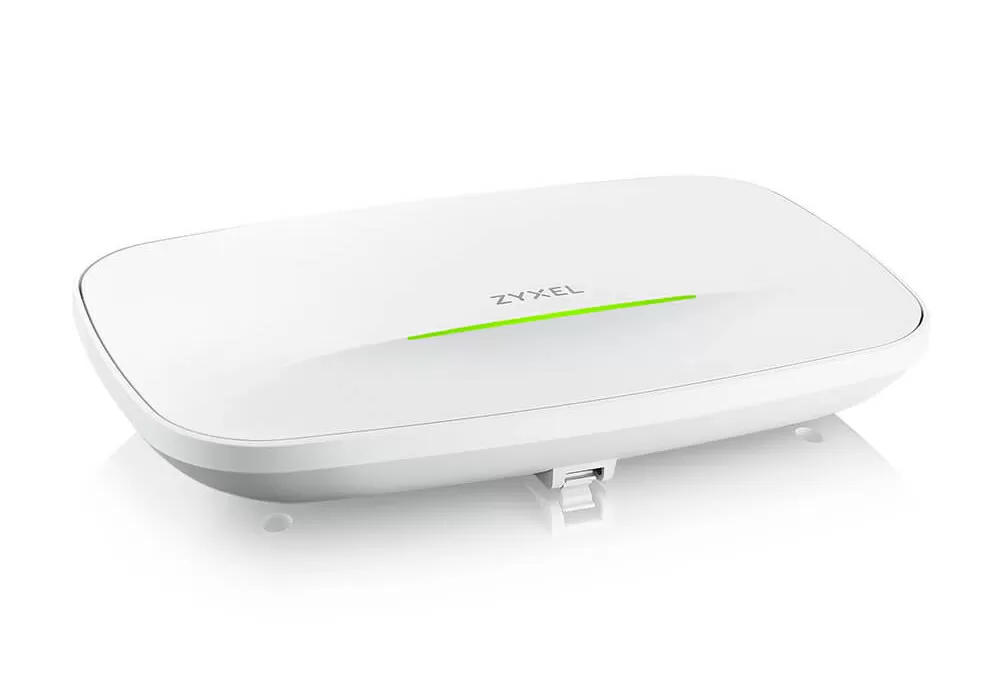
What distinguishes the older models
|
The model |
Class and ranges |
Streams |
Ports |
Power |
Mgmt |
Features |
|
IAP500BE |
BE5100, 2.4 + 5GHz |
4 streams |
1 × 2.5GbE |
2xDC or PoE 802.3at |
Cloud / controller / standalone |
Steel housing, powered by two DC sources, heated, mounted on a DIN rail |
|
WBE510D |
BE6500, 2.4 + 5/6GHz |
4 streams |
1 × 2.5GbE |
DC or PoE 802.3at |
Cloud / controller / standalone |
Wall/ceiling mounting, flexible use of 5/6GHz |
|
WBE530 |
BE11000, 2.4 + 5 + 6 GHz |
6 streams |
2 × 2.5GbE |
DC or PoE 802.3at |
Cloud / controller / standalone |
Transition to the enterprise segment |
|
WBE630S |
BE12300, 2.4 + 5/6 GHz |
6 streams |
2 × 2.5GbE |
DC or PoE 802.3at |
Cloud / controller / standalone |
Designed for high client density |
|
WBE660S |
BE22000, 2.4 + 5 + 6 GHz |
12 streams |
1 × 10GbE + 1 × 1GbE |
DC or PoE 802.3bt |
Cloud / controller / standalone |
Smart antennas, classic high‑density for large sites |
|
WBE665S |
BE22000, 2.4 + 5 + 6 GHz |
12 streams |
1 × 10GbE or SFP+ |
DC or PoE 802.3bt |
Cloud / controller / standalone |
IP67, Wireless Bridge, mast/wall mount |
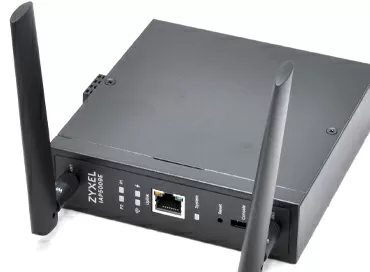
IAP500BE is a rare case where an access point needs to be mounted in a closed outdoor cabinet and connected to external antennas. It has a steel case, is powered by two power supplies, and can operate in cold temperatures, although it does not have a waterproof case. This device meets specific business needs and is one of the few options that allows for the connection of external antennas.
WBE510D is a convenient entry point into the professional class. On the one hand, it is not yet a flagship, but on the other hand, it is a model with a flexible BandFlex approach to 5/6 GHz bands, support for cloud management, a hardware controller, and standalone mode. It can be mounted on a wall or ceiling, and it does not have a second LAN port. All traffic and power are supplied through a single 1/2.5GbE port, so this model is not used as a pass-through element in the cable route.
WBE660S is an advanced point for dense client environments. Its 4x4:4 configuration on all three bands, 10GbE uplink, and additional 1GbE port, as well as 802.3bt power and advanced management modes, make it suitable for large offices, auditoriums, event spaces, and other environments where Wi-Fi 7 needs to handle heavy traffic rather than just providing fast speeds on a single laptop. This model features three radio modules, allowing for reliable performance in crowded radio environments.
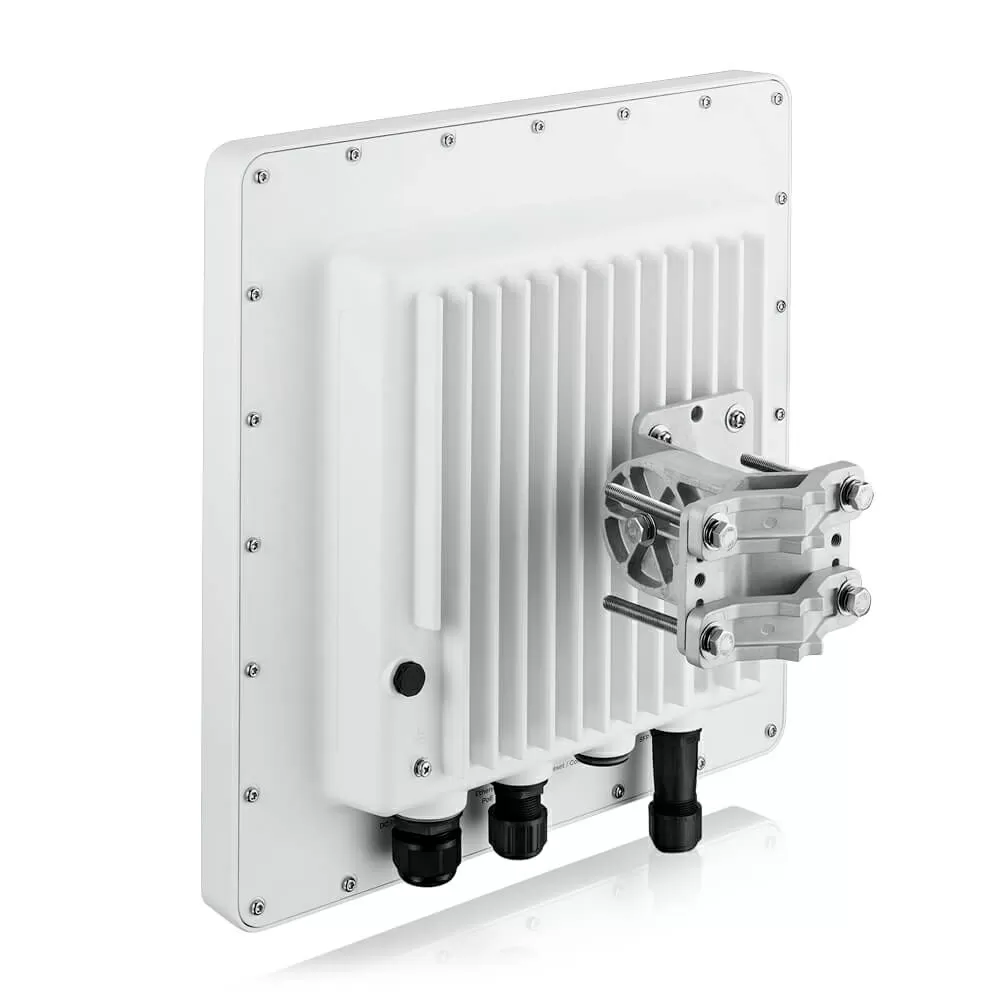
WBE665S covers an even more specific class of tasks. It is a flagship Wi-Fi 7 AP with 12 spatial streams, an IP67-rated enclosure, wireless bridge support, two mounting options, including mast mounting, and a combined 10GbE LAN or SFP+ interface. If the facility is based on optical infrastructure or requires more flexible integration into the backbone, this is the case where the question "how is the optical infrastructure?" receives a direct and technically clear answer. This access point has the most advanced antenna design to date, with individual emitters combined into a phased array. We may review this device separately in the future.
Operating Modes and Management: Where the Line Really Differs
One of Zyxel's strengths is that most models are not rigidly tied to the cloud. In the lower and mid-range segments, NebulaFlex modes typically mean a choice between cloud-based management and standalone, while in the higher-end Pro series, they also offer the option of using a hardware controller. This is important for mature customers, as it allows them to integrate their network into both cloud-based and on-premises operations, depending on their company's policies and regulations.
Additionally, it's worth noting the support for bridges and mesh. The NWA55BE can operate in Wireless Bridge mode, making it suitable for scenarios where you need to transfer the network over the air to a remote area of your facility. The NWA240BE also supports Wireless Bridge, WDS/Mesh, and fast roaming, while the WBE665S comes in a ruggedized IP67 enclosure. If you're using a Wi-Fi provider and need to extend your network to a remote part of your factory, warehouse, or territory, these modes are often more important than the difference in theoretical gigabits on the box.
Captive portal and guest scenarios in the Zyxel ecosystem are implemented at the management platform level and are a standard feature for most Wi-Fi 7 models. Therefore, when reviewing the technical aspects, it's more important to consider which specific device is better suited for your specific hardware and mode requirements rather than focusing solely on features that are almost always available.
How to choose based on scenarios
For a small coffee shop, restaurant, mini-hotel, salon, or small office, it makes sense to look at the NWA30BE, NWA50BE PRO, and NWA90BE PRO. In this case, Wi-Fi 7 without excessive complexity and normal integration into the cloud are important. However, if the network needs to be extended through the access point itself, the lower segment will almost always run into a lack of a second LAN port.
For an office with 50-100 employees, a hybrid space, or an object with noticeable user mobility, the NWA130BE and NWA210BE are more suitable. They offer two 2.5GbE ports, a robust radio component, and support for mesh/roaming, allowing for a more efficient and reliable network setup. As the client density increases, it makes sense to upgrade to the NWA240BE or WBE660S, which offer 10GbE uplink and a higher bandwidth capacity.
For outdoor scenarios, such as a hotel courtyard, an outdoor restaurant, or a park, the NWA55BE is a logical choice. For industrial environments, the IAP500BE or WBE665S can be considered, depending on the requirements for protection, installation, and backbone integration. If the task resembles a large office, campus, logistics facility, or a site with a very high client density, the higher-end WBE series becomes not just a luxury but an engineering-driven decision. This is a case where saving on the access point class can lead to more expensive problems.
Michael Degtyarev (aka LIKE OFF)
19/05.2026