QNAP QSW-1208-8C: 10GBe switch review
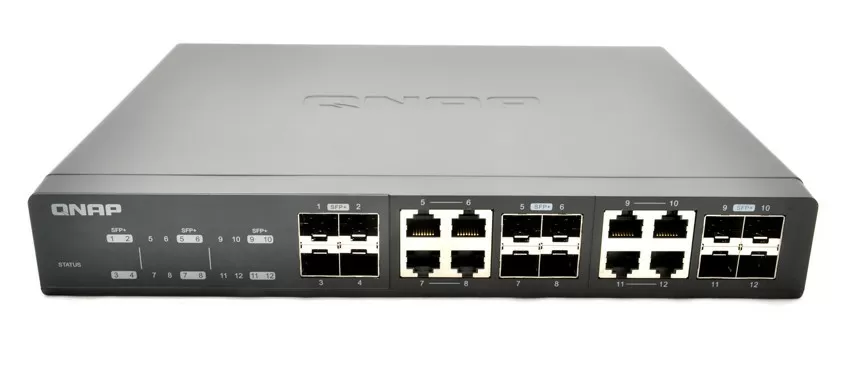
When purchasing a modern 10-Gigabit NAS, you will probably ask yourself the question: what should I connect it to? Regardless of whether your server has 10 GB network ports or you will add them with expansion cards, you need to decide whether you will use a copper cable (twisted pair) or optics. This issue is discussed separately in the article " which standard is better for a 10-Gigabit network,but the developers from QNAP have not read it, and they are not going to think for you, weighing all the pros and cons. So they released an 8-port 10-Gigabit switch with combined ports so you can use whatever environment you want. What's more, the switch supports 5G/2.5 G BASE-T standards, and many top-end gaming motherboards now have network ports at this speed.
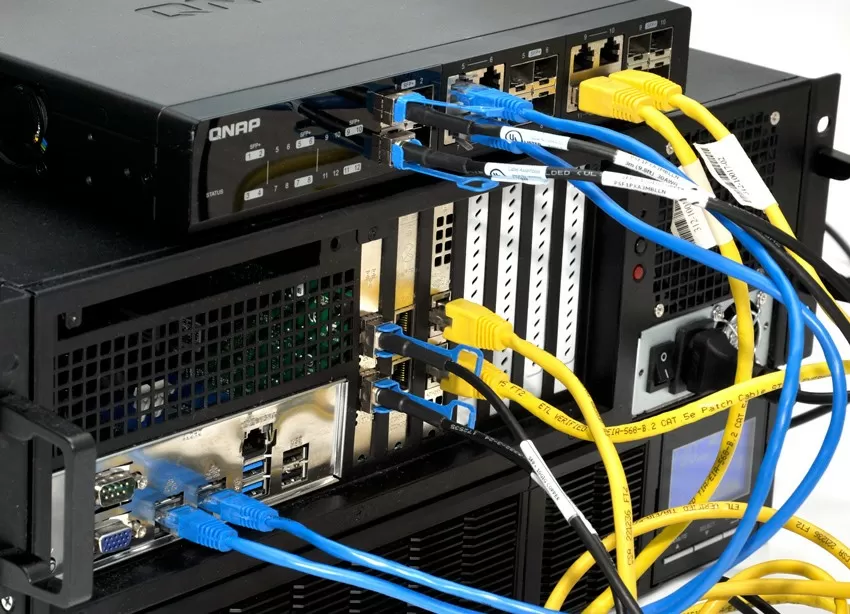
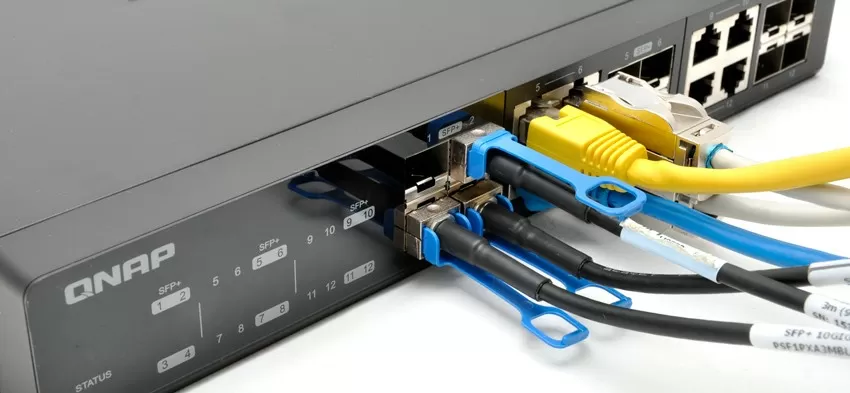
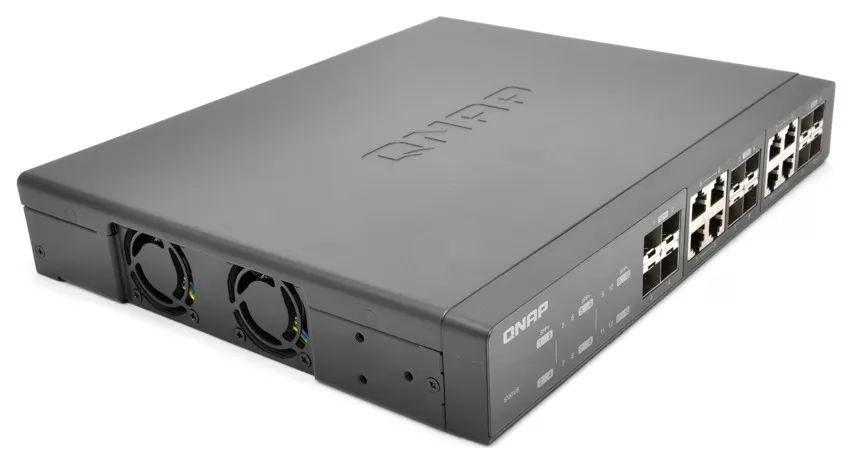
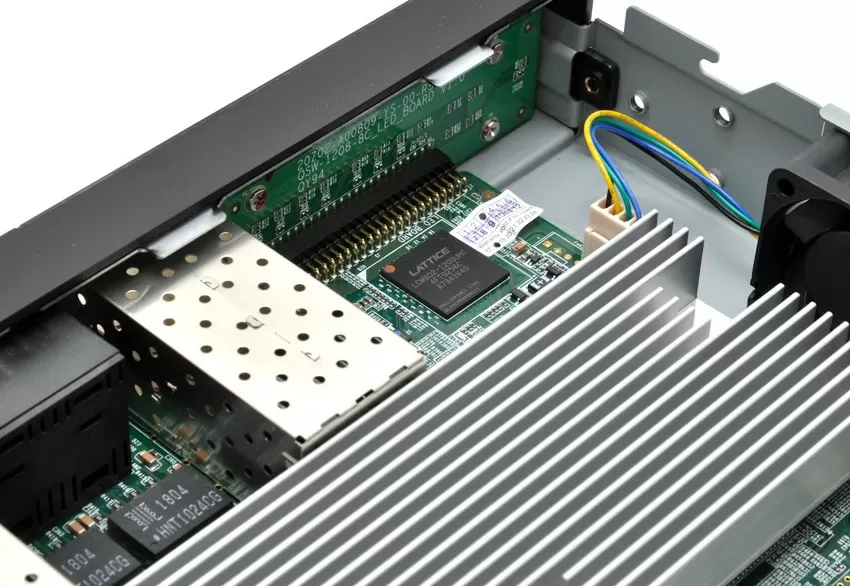
You may say that you are not surprised, because the world is full of switches with RJ45 ports for LAN and SFP / SFP+ slots for uplink connections to the backbone network, but QNAP has a completely different approach: QSW-1208-8C is a peer-to-peer switch with 12 SFP+ slots, of which 8 are duplicated as RJ45 ports. This means that there is no separation between Uplink and local ports, and all connections use one common switching matrix with a capacity of 240 Gb
Unfortunately, the QSW-1208-8C switch is unmanaged, and you can't even configure VLANs on it, let alone some functions like load balancing or channel aggregation. Of course, this limits the potential use of the switch, but still for you and me, the name QNAP is associated with data storage systems, and a 10-Gigabit network switch suggests itself in this category, where you just need to connect 5-10 workstations or servers to the NAS.
How QNAP tests switches
Interestingly, QNAP in its blog details how engineers torment QSW-1208-8C. First, connect up to 20 devices to the switch and run a Burn-In test for a period of 1 month. Secondly, the maximum load is driven on the vibrating stand and in the heat chamber at a temperature from 0 to +50 degrees Celsius. The criterion for successful completion of the test is 0 lost packages with all the developers ' bullying.

In addition, the test team performs 1000 cycles of switching on / off the switch, tests for operation in a wet environment, drops the switch to the floor and drives the load equipment to debug the device's firmware.
Of course, in the presence of such a switch, the eternal question "copper or optics" becomes irrelevant: choose what you want, there are enough ports for everyone. I want to note that QNAP does not produce optical transceivers, but the compatibility list includes 1 model Mellanox MFM1T02A-SR, offered under the QNAP brand, and several DAC cables up to 5 meters long. In General, the most popular transceivers are supported by Intel, Cisco, HP, Netgear, Avago and Finisar.
Compatibility Test
In general, if you have never dealt with 10-Gigabit networks before, then you will be interested to know what is wrong with compatibility in this segment. We are used to the fact that if you take any 1-Gigabit switch or router and include any cable in any 1-Gigabit network card, you will have a 1 - Gigabit connection, but with 10G Base-T everything is completely different. On paper, all the hardware is compatible with each other and backward compatible with 1GBase-T, but in fact-everything is not so simple: no link at all, communication at speeds of about 100 Mbit/s and other joys, and in general, not every 10-Gigabit switch supports the 2.5 GBase-T and 5GBase-T standards (2.5 Gbit/s and 5 Gbit/s, respectively). Therefore, when choosing a switch, try to test it with your equipment before purchasing it, or negotiate a refund with the seller.
|
Network card (clickable) |
Compatibility |
|
Yes | |
|
Intel X540 |
Yes |
|
X550 Intel |
Yes |
|
Yes | |
|
X557 Intel |
Yes |
|
Yes | |
|
Mellanox ConnectX-2 |
Yes |
The switch made friends with network cards immediately, but with cables it began to be picky: out of 7 samples of CAT 5E cables with a length from 20 cm to 1 meter, 3 samples completely refused to work, although they directly connected 10-Gigabit network cards at maximum speed. Among these samples were both factory cables from the network equipment delivery set, and independently compressed unnamed chips, as well as a cable with Siemens connectors.
|
Cable type |
category |
Length |
Speed |
|
20 UTP cable Unshielded (factory crimp) |
5 |
20 cm |
100 Mbps. |
|
Foiled FTP cable, 50 cm (Siemens plug-in chips) |
5E |
50 cm |
No link |
|
Unshielded UTP cable, 50 cm (manual crimping) |
5E |
50 cm |
No link |
|
STP cable is Shielded, (factory crimp) |
5E |
2 meters |
10 Gbit/s. |
|
STP cable is Shielded, (factory crimp) |
6 |
1 meter |
10 Gbit/s. |
|
STP cable is Shielded (chips are split, noname) |
7 |
35 meters |
10 Gbit/s. |
|
DAC SFP+, Intel |
3 meters |
10 Gbit/s. |
With the Cat 6 and Cat 7 cable, there were no expected problems, and I want to repeat once again: all samples were tested and worked perfectly at a speed of 10 Gbit/s when connecting network cards directly. This test tells us that if you want to use the switch with existing CAT 5E cables at short distances (10-15 meters), then be prepared for the fact that the cable will have to be re-compressed or changed.
Performance Testing
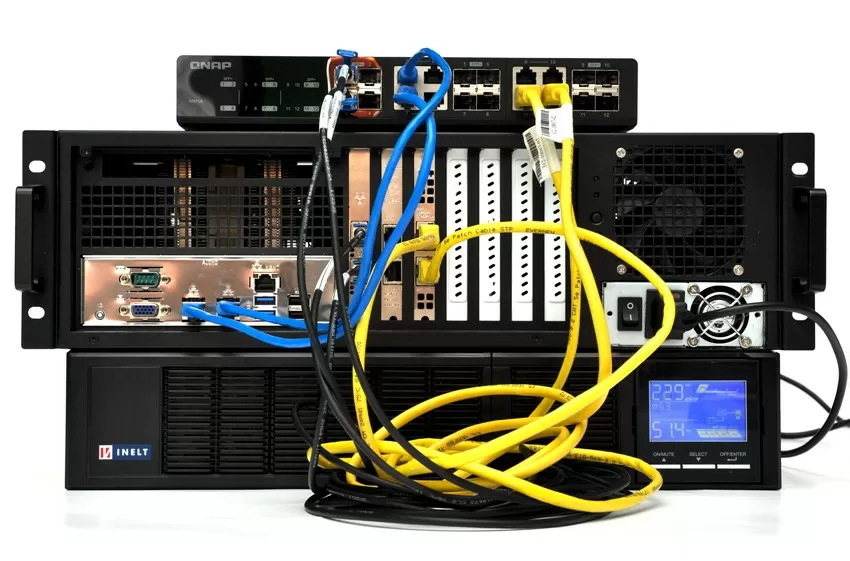 |
Test Configuration stand:
Software support:
|
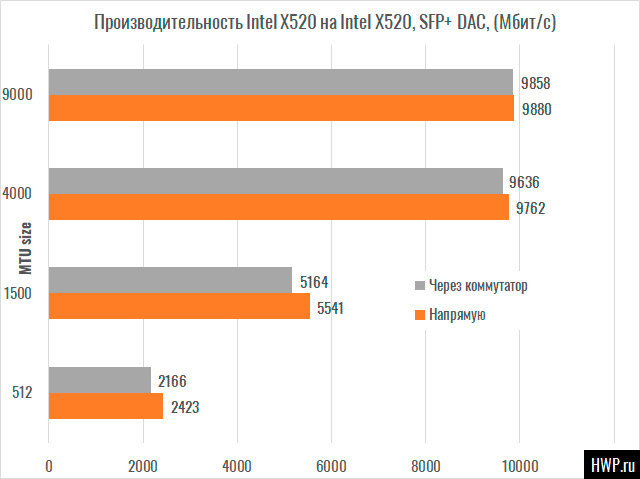
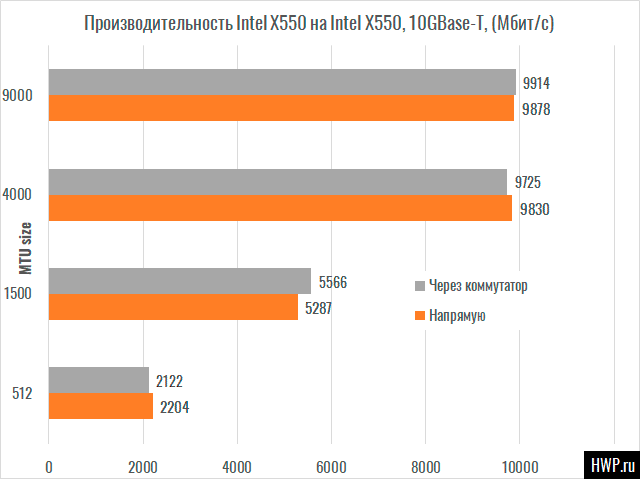
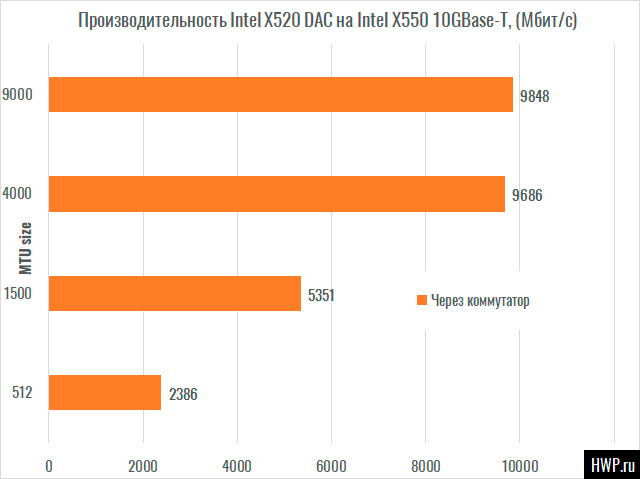
Our test bench has a capacity of 60 Gbit / s, which is 4 times less than the capabilities of the QSW-1208-8C switch, which has a 240 Gbit/s matrix. Let's look at the switching speed between different network ports.
Sometimes network switches increase the speed even between two network ports due to the built-in buffer, which we saw in the test of Gigabit switches Zyxel, Netis and Keenetic routers. Sometimes they slow down, but QNAP QSW-1208-8C practically does not affect the speed between ports, introducing only a slight delay, which is lost against the background of measurement errors. Even switching between Intel X520 DA2 (SFP+, DAC cable) and Intel X550-T2 (RJ45, copper) is performed without delays
Conclusions
QNAP QSW-1208-8C does not have a direct competitor with the same number of ports, but among the models on 8/10 10GBase-T with 2/4 uplink SFP + slots for the same money, you can choose a managed switch with VLAN support. Of course, the unmanaged architecture is a feature of the switch design that you should be aware of in advance, so I can't attribute this to disadvantages. At least, not every company may need to cut a 10-Gigabit network into segments.
What I didn't like:
- The switch proved to be cable-intensive, so if possible, use shielded CAT5E or CAT6/CAT7 cables.
- We do not recommend using an unshielded Cat5e UTP twisted pair, even if the cable length is 20 cm.
- No switch
what I liked:
- Compatibility With all network cards that are in our testlab.
- At the time of writing, not all 10-Gigabit switches can boast of this. The switch does not reduce performance compared to a direct connection.
- Beautiful exterior
- Low noise level
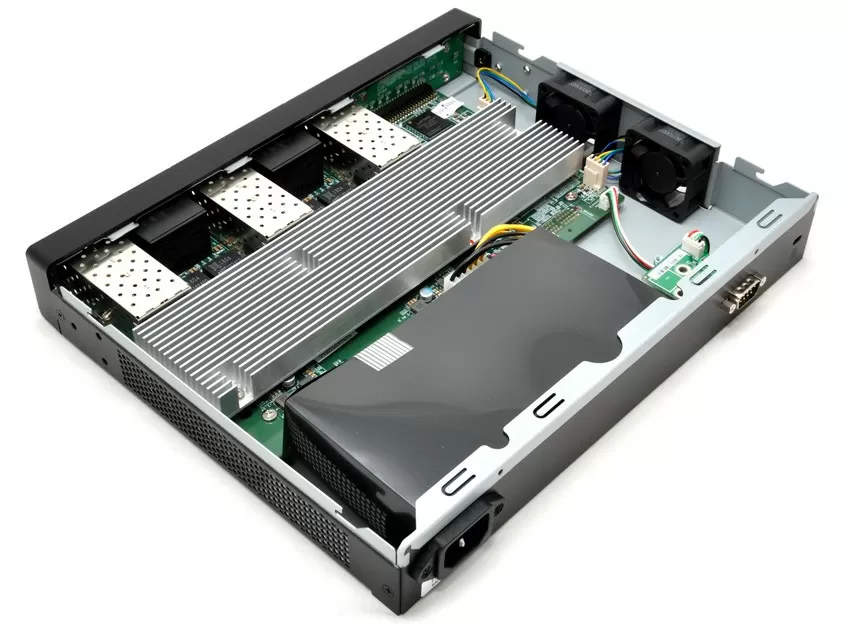
Thanks to the fact that the QSW-1208-8C works almost silently, you can use this switch directly at the workplace, without fear that by the evening it will give you a headache. Given how carefully QNAP approaches testing of its products, we can expect that it will work for years in 24/7 mode without losing packets.
Mikhail Degtyarev (aka LIKE OFF)
29/08.2019