

Short and clear: which type of Nextcloud installation should I choose - LXC, VM or Docker?
Nextcloud is a popular solution for creating your own cloud data storage. In this article, we will look at various ways to install Nextcloud, their pros and cons. To begin with, there are several ways to install Nextcloud: directly on the server, in a virtual machine, in Docker manually or in Docker via the automatic AIO stack. You can also install Nextcloud in an LXC container.
Nextcloud is a popular solution for creating your own cloud data storage. In this article, we will look at various ...
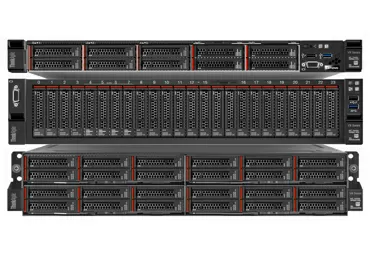
Lenovo ThinkAgile VX3320 review - a hyperconverged solution for simplified enterprise-wide vSAN deployment
... becoming the standard for building virtualization platforms in the corporate environment ... facility.
The ideology of hyperconvergent solutions using VMware technologies has its advantages ... becoming the standard for building virtualization platforms in the corporate environment ... list of VMware at the stage of online configuration of virtualization nodes ... from the overhead associated with virtualization, and if some application ... model, the development of container virtualization, IoT systems and hybrid ...
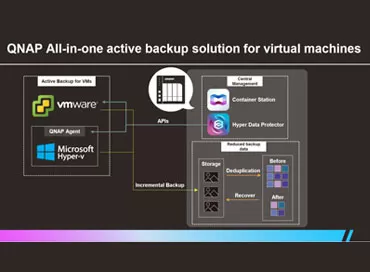
Storage and backup of virtual machines on QNAP NAS
... is better - consolidated storage or hyperconverged infrastructure with software storage, QNAP ... restoring virtual machine backups from VMware ESXi and Microsoft Hyper- ... seconds, and is native to virtualization. Since it is completely ... enable it by following the
VMware instructions
and
Microsoft
, or ... versions of VM Tools from VMWare or Microsoft installed. We ... your organization.
Connecting to VMWare vSphere
QNAP itself recommends connecting ... ST16000NM001G
OS:
VMware ESXi 6.7 U3
VMware ESXi 7.01 ...
QSAN XN8012R Storage Review: Virtualization + ZFS Onboard!
Many specialists of small organizations clearly understand the advantages of ZFS and can justify to the management the savings from software LZ4 compression and deduplication when buying a new storage system, but there were no inexpensive solutions for this file system. But a holy place is never empty, and QSAN decided to combine in one device everything that we love in Linux and everything that we value in ZFS.
Today, many technical experts believe that ZFS is something that works only ...
Big test Synology Active Backup for business - recovering from backup in 11 seconds!
Synology now has a free solution to back up and restore all of its infrastructure, including virtual machines, desktops, Windows servers, and NAS. We tested all its features, measured the speed and evaluated the pros and cons of this package.
In 2010, the founder of Veeam Software, Ratmir Timashev, said in one of his interviews that the main thing for backups is the recovery process, how fast, easy and reliable it is. Today Veeam software solutions have become the de facto standard in large ...

Synology VMM Pro - testing failover virtualization cluster
Synology is expanding the capabilities of its hypervisor and in the Pro version it is possible to create a failover cluster. We tested non-stop migration, crash recovery and also showed how BTRFS can save disk space when using a dozen virtual machines. Traditionally for Synology, every step here is intuitive and logical.
Today any small company has its own IT resources, which grow along with the growth and development of the company. One or two services can still be kept on a dedicated ...
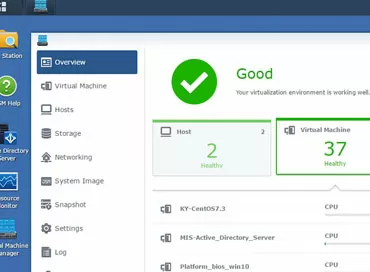
Synology Virtual Machine Manager hypervisor - first step into converged architectures
Synology has released a package that turns storage into a host for virtual machines with easy cluster setup, virtual machine snapshot support, and setup in just a few clicks. You can even run the DSM operating system itself in a virtual environment to create multitenant services within your organization.
Synology
, already a well-known system manufacturer to our readers data storage class SmB/SOHO, has been making steps towards the Enterprise segment for quite some time. In 2017, high- ...

Freebies will not be! VMware waives the license for the socket
It happened! Now, for every 32 physical cores in the server, you will need a license for 1 processor socket. Bad news for AMD, but don't jump to conclusions - there's still time to buy EPYC.
I hope you had time to enjoy how your new 1-socket server on AMD EPYC smartly replaces 2 or even 4 old servers on Xeon E5, and at the same time you deduct a mere penny for the hypervisor license? The freebie is over: now VMware changes the license policy, considering that there are no more than 32 cores ...