Nine QNAP server features your business may need
In the modern business world, information is so important that for its storage and processing whole networks are built (in large organizations), space is allocated for data centers in smaller companies, or they simply use separate devices, file servers. We have written many times that these Linux-based servers can become indispensable helpers in business, shouldering the responsibilities of other infrastructure elements on their electronic shoulders. And when purchasing a small NAS QNAP for your company, it is possible that soon you will use it as an office PBX, as a video surveillance system, an accounting server, or in hundreds of different ways.
As often happens, once having installed a server, we forget about its updates or do not find time to figure out what exactly has been changed and improved, leaving it on the conscience of the developers. Today we will tell you about some of the functions of QNAP servers, which The defaults are already built into the original QNAP operating system and are relatively recent. For example, we will use the latest 4-disk NAS for small offices, the QNAP TS-439 PRO II +, which we will talk about a little later.
1. Availability
So let's start with accessibility. The use of various Internet services in business requires that your data is always available. Simple DDNS support is not enough today. As a reminder, using DDNS you can assign a domain name to a server using dynamic IP addresses. With the MyCloudNAS service, you can do this more securely, such as choosing which services to make public.
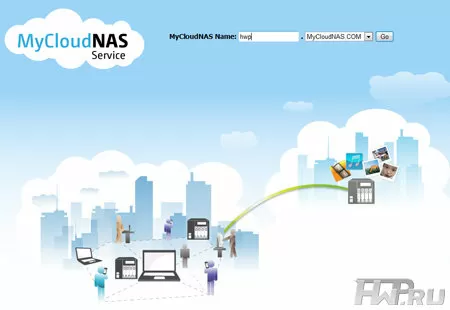
The service configuration wizard will check the open ports, how the connection is made, and whether the router is configured correctly. In the future, you can choose a name like HWP.mycloudnas.com and using it, get remote access to your services. In other words, MyCloudNAS is a clear shell for DDNS and Firewall, which is nice - the service is free.
2. Folder level security
By the way, regarding access - now QNAP NAS has extended folder access rights. For each user, you can configure not only whether he is allowed access to the folder, but also what exactly is allowed to do.
For example, for one user the folder may be read-only, and for others & ndash; for reading and writing. At the same time, another folder can be accessible only for one user out of all registered in the system. This is very useful when sharing resources across multiple servers, both physical and virtual. This restriction allows you not to give unnecessary rights to those who do not need.
3. Business Process Management System
Today, within the framework of small offices, companies that cannot afford large budgets for infrastructure are trying to `` hang '' the NAS has a maximum of functions. For example, a CRM server - it is easily installed via QPKG and is available from the native QNAP repository.

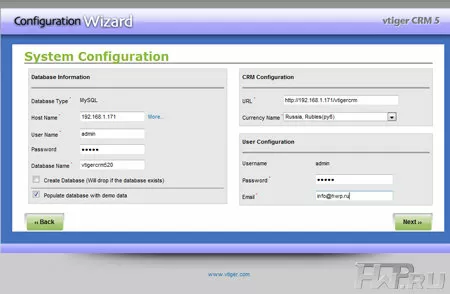
Configuration is done through the NAS web interface. VTiger CRM is a free open source business process management system for which there is a lot of information on the web and even support forums. The only difficulty today is the lack of an official Russian language, but since this is an open source system, Russification is only a matter of time. Of course, today there are many systems that facilitate interaction in a business environment, but most of them are either paid or provided as a SaaS application, which means they are located on other people's servers. Few people would prefer to store their business on third-party servers if they can do it locally.
4. Secure WebDAV Connection
A WebDAV server is provided for easy access to data via the Internet. It is an extension to the HTTP protocol that allows you to work with a remote folder in the same way you work with local files. If you need to ensure the privacy of the transmitted data, you can use WebDAV over HTTPS.
The advantages of such a connection are obvious: you use your own file manager, not a Web file manager, you don’t think about how to connect a folder via the Internet and you are sure that your connection is secure. What is the problem with web file managers? They do not understand your archivers, they do not know how to handle file types like your software, they work slowly and are always not as convenient as Windows Explorer or MacOS Finder. But this is no longer a problem.
To work with WebDAV on the client side, you need a special client, which is already built into Windows XP, Vista, Windows 7 and MacOS X.
5. Folder aggregation
Your business is already more than five computers, but still not big enough to allocate a rack full of servers. And the information is stored not only centrally, but also distributed across computers. For example, projects in a design bureau are stored on local computers and backed up to a server. This is where combining shared folders can come in very handy.
You are creating one portal folder on the NAS, and folders from other servers and computers that you merge will simply be nested into it, just like normal directories. Thus, you will forever get rid of poking around in the network trying to remember on which host which directory is located.
6. Virtual disks
The reverse function is virtual disks, thanks to which you can mount any iSCSI target on the network as a separate volume in the QNAP file server. These virtual disks cannot participate in the creation of RAID arrays, but with their help you can expand the server space and physically move data from it to any other location.
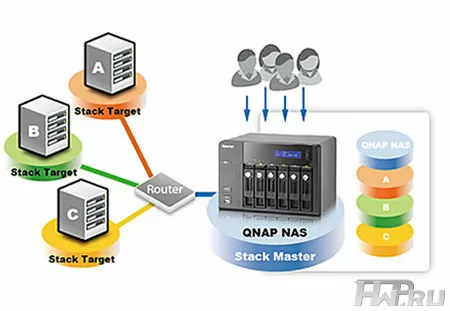
It is very safe to manage a remote resource with a local server. Imagine what this opens up prospects for hiding data from prying eyes, despite the fact that the data is easily accessible at any time. And even if an attacker steals the entire server, it will not be so easy for him to understand where the virtual disk with accounting is located - on a nearby computer, in a neighboring building, or on a neighboring continent.
7. RTRR - Real Time Replication
No matter how reliable a backup is, it always has one vulnerability - damage to the original data that has not yet been saved, but has already been modified. And if you make a backup every day at five o'clock, then the worst thing is if the data is lost at 4-59, and all your changes during the day are lost. This problem can be solved by using real-time replication.
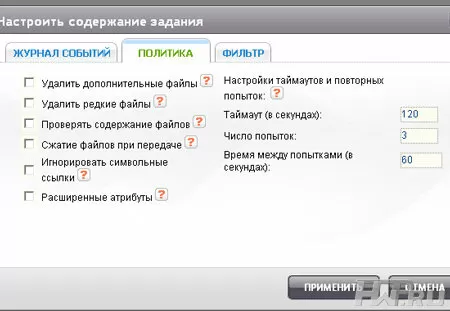
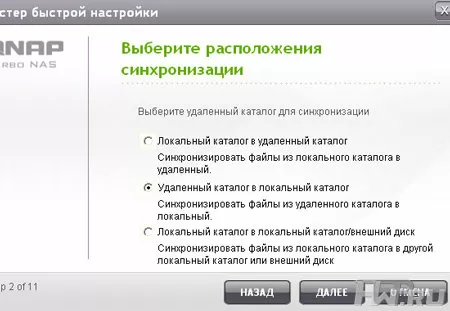
The name speaks for itself - the QNAP server monitors changes on the remote folder and synchronizes with the local folder. If your task is to synchronize data on two QNAP NAS-ah, then you can use the built-in software RTRR server. To work with any other machine, an FTP/FTPs connection is used.
8. Storing backups on the Internet
They predict a total transition to "clouds" for modern business, and unprecedented advantages are attributed to cloud services. One of the cloud services that you may find useful is saving backups on the Internet. No, we are not talking about MegaUpload and other services, but about those where you are guaranteed confidentiality, security and the ability to store large amounts of information. How big? Store unlimited files up to 5 TB each! You can choose the region where your data is stored and never left. To date, there are no “offshore” zones on the list, although Ireland, Northern California, Northern Virginia, Singapore and Tokyo are present.
The cost of storage is calculated in a complex way and takes into account the amount of occupied space, the level of reliability of storage, data transfer, execution of commands for copying, deleting and browsing categories. The site http://aws.amazon.com/s3/ has a special rate calculator that will help you understand how much it will cost you reliable data storage.
For many companies, bound by wild tariffs for Internet access, the use of such "cloud" services is still unacceptably expensive, especially considering how our providers "love" foreign traffic.
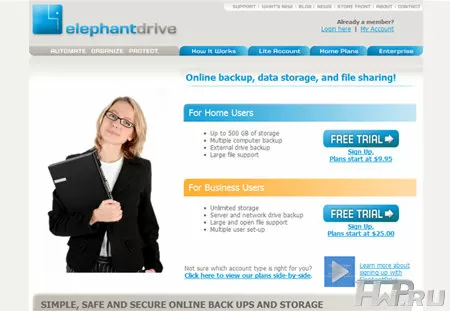
As an alternative to Amazon S3, QNAP servers support ElephantDrive, which offers unlimited disk space for $ 25 a month.
9.New print server with support for up to 3 printers
At the time of this writing, the cheapest laser printer on market.yandex.ru cost 2087 rubles, and the cheapest laser printer with a network interface - 3657 rubles, that is, 1.5 times more expensive. Plus, not all USB printers have versions with a network interface, and the price difference between USB and network printers can be up to 2-3 times. Use your QNAP to share printers.
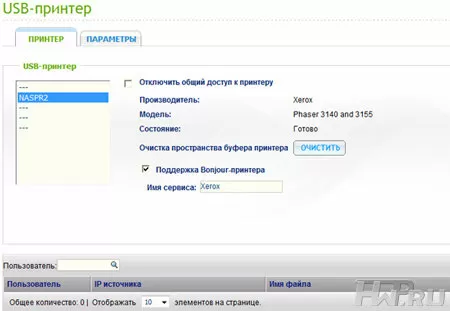
In the new generation of firmware, QNAP has redesigned the print server, adding support for up to 3 printers at the same time, and IPP and Samba protocols are supported to access them. Thus, you can print data over the Internet from anywhere in the world by managing the print queue over the web. Apple users will appreciate the benefits of Bonjour - you don't need to set up your printer at all, everything will be done automatically.
QNAPTS-439 PROII +
Before concluding, let us tell you about the QNAP TS-439 PRO II + file server, on which we tested the functions described above.
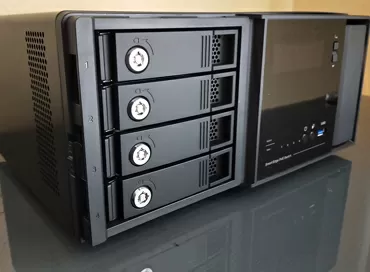
QNAP TS-439 PRO II + file server belongs to the "golden mean" of models that can be used both at home and in offices. First of all, the presence of 4 disks allows you to use the most popular type of RAID array, RAID 5, as well as the more reliable RAID 6, or simply combine 4 hard drives into one large logical disk.
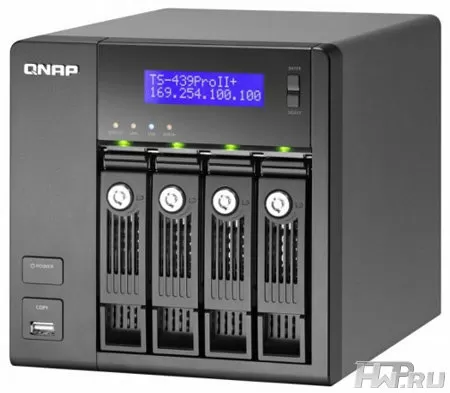
At the same time, 4 disks - this is the level when one ultra-quiet 120-mm fan is enough to cool the system, and both external (in home versions of TS-419) and internal (in business versions TS-439 and TS-459) power supply.
At the same time, a small, not very hot NAS can be considered very environmentally friendly: it consumes 33 W during operation and has a noise level of 37.3 dB, with 4 hard drives.
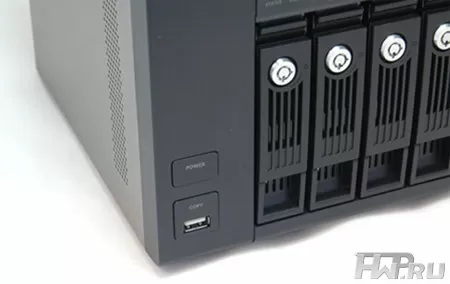
The small LCD screen with blue backlight is very handy in case of any problem. For example, if you cannot determine the IP address of the device. It also displays hardware errors, temperature, RAID array and network settings. In normal mode, the screen does not light up and does not interfere with your work.
As befits a small server, the QNAP TS-439 PRO II + has enough peripheral ports - one USB 2.0 on the front panel for a flash drive, as well as four USB 2.0 on the back for connecting printers, UPS or USB storage. By the way, to connect an external drive it is better to use the e-SATA ports, also located on the back of the server. After all, an e-SATA drive can be connected as an additional volume.
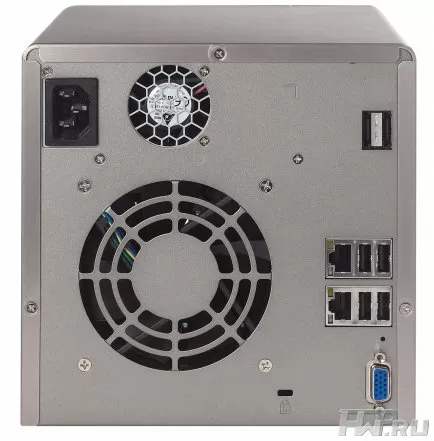
The server design can deservedly be considered a classic - a good arrangement of components and a strict, pleasant design have already passed the test of time. Today, the QNAP TS-439 PRO II + looks like an old acquaintance whose appearance we see so often in photos in reviews that it seems as if the same NAS does not change over time, although as you can see, this is far from the case.
Conclusion
We have just talked about some of the useful functions of QNAP TS-439 PRO II +, which, if used correctly, can significantly facilitate the work of the IT infrastructure in a small company. But the software functionality of QNAP servers is not limited only to what the manufacturer has laid in them. Behind the scenes, support for VLAN, Wi-Fi, export and import of users from one NAS to another, and much more remained. In one of the following articles, we will tell you about additional functions and services that you can install on QNAP yourself.
Mikhail Degtyarev (aka LIKE OFF)
07/06.2011